
Table of Contents
- Why Communication Breaks Down Between Sign Designers and Fabricators
- Establish Shared Goals and Clear Expectations Before Design Starts
- Create a Sign Design Handoff Checklist for Every Project
- Define Sign Fabrication Specifications and Technical Requirements
- Implement Design Revision Tracking and Change Control
- Use Collaborative Tools to Share Project Information
- Execute the Sign Design Approval Process With Clear Roles
- Measure Communication Success and Iterate
- Frequently Asked Questions
Last Updated: October 10, 2026
Why Communication Breaks Down Between Sign Designers and Fabricators
Most projects fail before fabrication starts: a designer creates something beautiful, but the fabricator realizes it won’t work on the production floor. This happens because designers and fabricators speak different languages, designers think in visuals and brand impact, fabricators in materials and assembly time. The result is rework, delays, and frustration. The fix requires clear handoffs, shared goals, and tools that keep everyone aligned. A missed deadline on a multi-location rollout can cost thousands; poor communication also creates tension between teams that need to work together long-term.
Establish Shared Goals and Clear Expectations Before Design Starts
Start every project with a meeting where designers and fabricators agree on success criteria: final look and feel, available materials, budget and flexibility, hard deadline, and which design elements are non-negotiable versus changeable.
This conversation happens at the start, not after design is done. A fabricator might say custom fixtures add two weeks; the designer can then decide whether to simplify the design. Document these agreements in writing and share with both teams to prevent later disputes.
Create a Sign Design Handoff Checklist for Every Project
A design-to-fabrication handoff checklist should include: design files, design intent summary, material and finish specs, color codes, fonts, tolerances, installation method, electrical/mechanical requirements, quality standards, and client sign-off. Walk through the checklist together before fabrication starts, the fabricator asks questions and both parties sign off. This catches problems early and protects the designer by documenting what was agreed.
Define Sign Fabrication Specifications and Technical Requirements
Fabrication specifications bridge design intent and production reality. Designers and fabricators must align on file format, color accuracy, dimensional precision, and material behavior specific to signage.
File Preparation and Format Standards
Establish file standards upfront to prevent friction:
- Vector format: Require Adobe Illustrator (.ai) or PDF. Raster files cannot be scaled without quality loss.
- Color mode: Specify CMYK for print, RGB for digital displays, and Pantone spot colors with both name and numeric value (e.g., “Pantone 286 C” and RGB 0-51-153).
- Font delivery: Outline all fonts or provide files. Missing fonts force fabricators to substitute, changing the design.
- Layer organization: Name layers by function (“Text,” “Graphics,” “Dimensions,” “Notes,” “Bleed”) so the fabricator can quickly isolate what needs cutting, engraving, painting, or printing.
- Scale and units: Specify inches or millimeters and include a scale indicator on every drawing.
- Bleed and safe area: Define bleed (typically 0.125 inches beyond trim line) and safe area (content away from edges) to prevent design elements from being cut off.
Dimensional Tolerances and Precision
Tolerances define required precision. Common standards: ±1/8 inch for general fabrication, ±1/16 inch for precision assembly, ±1/32 inch for multi-color overlays. Call out tolerances on the drawing next to critical dimensions, not just in a spec sheet.
Material and Finish Specifications
For each material, specify type and grade (e.g., “6061-T6 aluminum” not just “aluminum”), thickness, finish (paint, powder coat, anodize, etc.), surface treatment (brushed, polished, textured), and environmental requirements (outdoor, wet, UV exposure, salt spray, freeze-thaw cycles).
Electrical and Mechanical Requirements
For illuminated or moving signs, specify: light source type and color temperature, power requirements (voltage, amperage, dedicated circuit), wiring routing and connectors, motion specifications (speed, duty cycle, safety), and control system (timer, sensor, switch, networked).
Quality Inspection and Acceptance Criteria
Define acceptance criteria: color match tolerance (e.g., “within one Pantone chip”), surface finish quality (no scratches larger than 1/16″), dimensional accuracy, functional testing (lights, mechanisms, adhesion), and documentation (photos and signed inspection report before shipment).
Delivery Format for Specifications
Attach specifications directly to the design file or create a one-page spec sheet with a checklist: file format verified, dimensions and tolerances reviewed, material and finish confirmed, electrical/mechanical requirements understood, quality standards acknowledged, and feasibility confirmed. Work with your fabricator on complex projects, they’ll identify what’s practical, expensive, or where you can save money.
Implement Design Revision Tracking and Change Control
Changes happen on every project, client modifications, fabricator issues, material unavailability. Without change tracking, the designer works from one version while the fabricator builds from another, causing rework and delays. A formal change control process prevents this and creates a record protecting everyone.
The Change Control Workflow
Version Control and File Management
Use this naming convention: [Project Name]_[Version Number]_[Date]_[Status].ai (e.g., Acme_Storefront_v3_2024-12-15_APPROVED.ai). Increment version numbers sequentially (v1, v2, v3), use YYYY-MM-DD dates, and mark status as DRAFT, REVIEW, APPROVED, or FABRICATION. Store all files in one central location (cloud drive, project platform, or file server).
Change Log and Decision Record
Maintain a change log for every project. This is a simple spreadsheet or document that records every change from start to finish.
Change log template:
| Date | Change # | Description | Requested By | Approved By | Timeline Impact | Cost Impact | Status |
|---|---|---|---|---|---|---|---|
| 2024-12-10 | CHG-001 | Move logo to center | Client | Designer, Fabricator, Client | None | None | Completed |
| 2024-12-12 | CHG-002 | Increase text size 15% | Designer | Client | +3 days | +$200 | Approved |
| 2024-12-14 | CHG-003 | Substitute material (aluminum unavailable) | Fabricator | Designer, Client | None | +$150 | In Progress |
This log serves multiple purposes:
- It shows the project history and how decisions were made
- It prevents the same change from being requested twice
- It protects you if a client later claims they didn’t approve a change
- It helps you learn: which types of changes are most common? Which ones cause delays?
Markup and Feedback Protocol
Establish a markup protocol: use PDF markup tools (Adobe Acrobat, Preview, or Markup.io), color-code by type (red for critical issues, yellow for questions, green for suggestions), be specific (“This radius is too tight for our tooling”), include a response deadline, and track confirmations.
Escalation Path for Unresolved Issues
Preventing Changes After Fabrication Starts
Establish a “design freeze” date: all changes must be approved before fabrication begins. After fabrication starts, only critical changes (safety, structural integrity, emergencies) are allowed and incur a rush fee and timeline extension. Communicate this upfront to incentivize thorough client review.
Review and Continuous Improvement
After each project, review the change log:
- How many changes were there? (Fewer is better, it suggests the design was clear upfront)
- What types of changes were most common? (This reveals where communication is breaking down)
- Which changes could have been prevented with better upfront communication? (This shows where to improve your process)
Use this data to refine your design approval process and handoff checklist. Over time, you’ll catch more issues before they become changes.
Use Collaborative Tools to Share Project Information
The right tools keep communication flowing and information organized. Teams don’t need to be in the same room to work together effectively.
Good collaborative tools should allow:
- Real-time file sharing and version control
- Comments and feedback on designs
- Task assignment and deadline tracking
- Document storage that’s easy to search
- Communication history that’s easy to reference
When a fabricator has a question about a design detail, they should be able to mark it up and send it back to the designer in minutes. The designer can respond with clarification. No back-and-forth emails that get lost.
Project management platforms help teams stay organized. Everyone sees what’s due, who’s responsible, and where things stand. This reduces surprises and keeps projects on track.
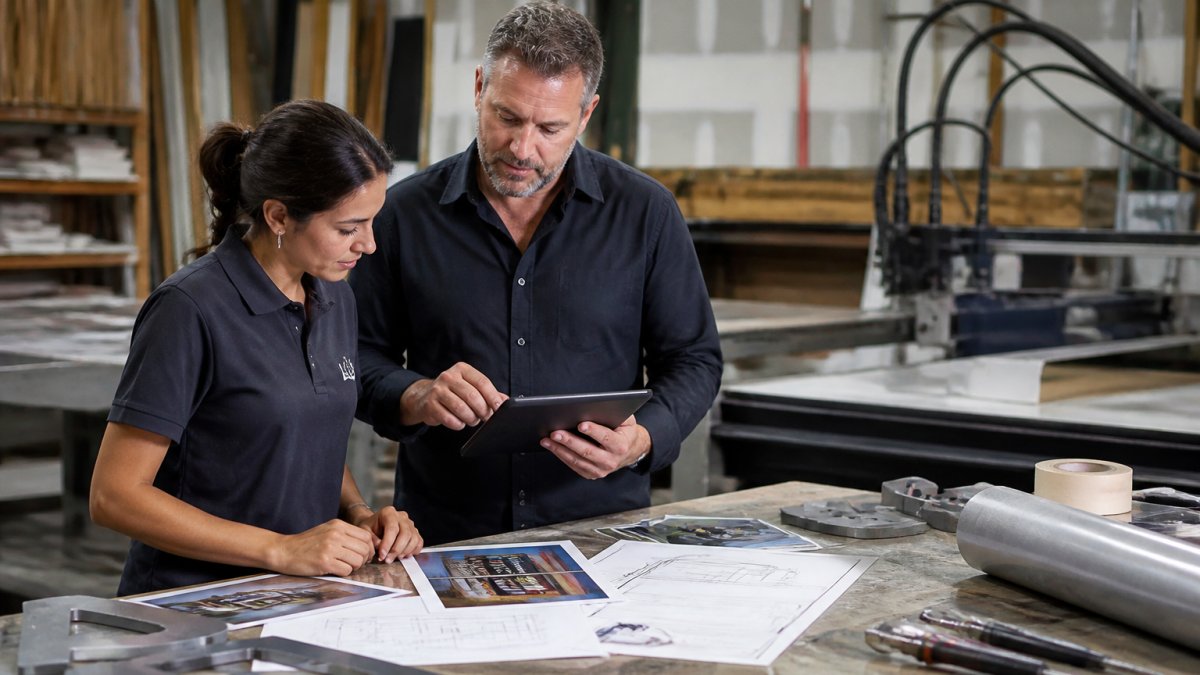
The key is adoption. Choose tools your team will actually use. If the tool feels clunky or adds work instead of saving it, people won’t use it. Start simple and expand as the team gets comfortable.
Execute the Sign Design Approval Process With Clear Roles
Every project needs clear roles and a defined approval process. When everyone knows who decides what, decisions happen faster.
Define these roles early:
- Project manager: Owns the timeline and budget. Coordinates between designer and fabricator.
- Designer: Creates the design and responds to feedback.
- Fabricator: Reviews designs for feasibility and provides technical input.
- Client: Approves the final design before fabrication starts.
- Quality inspector: Verifies the finished product meets specifications.
An approval process might look like this:
- Designer creates initial concept and shares with fabricator for feedback
- Designer incorporates feedback and presents revised design to client
- Client approves or requests changes
- Designer updates design based on client feedback
- Fabricator reviews final design and confirms it’s ready to build
- Project manager signs off and fabrication begins
This sequence prevents rework. The fabricator weighs in early so design decisions account for production reality. The client sees the design before fabrication starts, so changes don’t happen mid-build.
Assign a single point of contact for each team. The client talks to the project manager. The project manager coordinates with the designer and fabricator. This prevents confusion and mixed messages.
Measure Communication Success and Iterate
Track metrics that show whether communication is working. These metrics help you spot problems and improve over time.
Key metrics to track:
- On-time delivery: Are projects finishing when promised?
- Rework rate: How often does the fabricator find issues that require redoing work?
- Change orders: How many changes happen after fabrication starts?
- Client satisfaction: Do clients feel the process was smooth and transparent?
- Team feedback: Do designers and fabricators feel heard and respected?
Review these metrics monthly. If the rework rate is high, communication is breaking down somewhere. If change orders are frequent, the approval process isn’t catching issues early.
Hold regular retrospectives with your team. After each project, ask: What went well? What could we do better? What got in the way? Use this feedback to refine your process.
Small improvements compound. A checklist that catches one issue per project saves time and money. A better approval process prevents rework. Better tools make communication faster. Over time, these improvements add up to smoother projects and happier teams.
Improving communication between sign designers and fabricators is one of the highest-impact changes you can make. It prevents rework, keeps projects on schedule, and reduces tension between teams that need to work together long-term. Over 30 years of combined industry experience, our team delivers high-quality, custom solutions, from neon and ADA signage to living wall displays and vehicle graphics, all while consistently meeting tight deadlines and budget requirements. The tools and frameworks we use, design handoff checklists, change control systems, and clear role definition, work because they remove ambiguity and keep everyone aligned. Start with one improvement: a shared goals meeting before design begins. Then add the others gradually. Your projects will run smoother, your teams will work better together, and your clients will notice the difference. Ready to strengthen your design-to-fabrication process? Contact Triton Sign and we’ll help you build a communication system that works for your team.
Frequently Asked Questions
What information should a sign design handoff include?
A complete handoff includes final design files in the fabricator’s required format, detailed specifications for materials and dimensions, color codes and brand guidelines, installation location details, timeline and budget constraints, and any special requirements like ADA compliance or structural considerations. The handoff should also clarify design intent, why certain choices were made, so the fabricator understands the reasoning behind the design, not just the final product. This prevents assumptions and reduces the risk of costly remakes.
How can design changes be documented during sign production?
Use a formal change control process where all modifications are logged with the date, who requested it, what changed, and approval from both designer and fabricator. Assign each change a version number and maintain a master log that tracks the design evolution. Document whether changes affect timeline, budget, or fabrication methods. This prevents confusion about which version is current and protects both parties by creating a clear record of decisions. Without this, teams often work from different versions, leading to errors and delays.
When should a fabricator be involved in the sign design process?
Involve fabricators early, ideally during the concept phase, not just at handoff. Fabricators understand production constraints, material capabilities, and assembly operations that designers may not consider. Early collaboration prevents designs that look great but are difficult or expensive to build. Many experienced fabricators can suggest alternatives that maintain design intent while reducing costs or production time. This collaborative approach from the start improves quality, accelerates timelines, and strengthens the relationship between teams.
What tools help sign designers and fabricators collaborate effectively?
Shared cloud platforms, project management software, and design file repositories let both teams access the same information in real time. Video conferencing is essential for discussing complex details that email cannot convey. Some teams use markup tools to annotate designs with feedback directly on files. The key is choosing tools that both designer and fabricator actually use and that keep all project information, files, timelines, feedback, approvals, in one place. This reduces email clutter and ensures nothing gets lost.