Table of Contents
- Step 1: Define Your Sign’s Purpose and Location
- Step 2: Explore Business Sign Design Ideas That Fit Your Brand
- Step 3: Nail Business Sign Size and Placement for Maximum Visibility
- Step 4: Choose Materials and Mounting for Durability
- Step 5: Use Business Sign Design Software to Create Your Artwork
- Step 6: Understand Custom Business Sign Cost and Permitting
- Step 7: Review Your Proof and Approve Fabrication
- Conclusion: Your Sign Design Checklist
- Frequently Asked Questions
Last Updated: October 5, 2026
Step 1: Define Your Sign’s Purpose and Location
Every great sign starts with one question: what job does this sign need to do? Learning how to design a custom business sign step by step begins here, because purpose drives every choice that follows. A storefront sign pulls in foot traffic.
At Triton Sign, we’ve spent over 30 years helping businesses answer this question before a single design file opens. Small Business Administration notes that a clear brand presence helps customers find and remember a business, which is exactly what a sign is for.
So before you sketch anything, write down three things:
- Who needs to see it? Drivers, walkers, or people already inside the building.
- What should they do? Stop, turn in, walk through a door, or find a room.
- Where will it live? Storefront, roadside, lobby wall, or above a door.
A sign built for a highway driver looks nothing like one for a hallway. Get this step right and the rest gets easier.
Walk your own property at different times of day before you commit to a location. Morning sun, afternoon glare, and evening shadows all change how a sign reads.
Step 2: Explore Business Sign Design Ideas That Fit Your Brand
Good business sign design ideas come from your brand, not from a trend board. Your sign is often the first thing a customer sees, so it should match the colors, logo, and feel of everything else you put out.
Start by pulling your brand assets together:
- Your logo in a vector file if you have one
- Your brand colors, with exact codes
- Your main typeface or a close match
A sign that clashes with your website and business cards confuses people. A sign that matches them builds recognition fast.
Matching Sign Style to Your Industry and Architecture
Style should fit both your industry and your building. A law office in a brick building reads better with a classic serif font and a metal plaque.
Look at your building’s materials, trim, and roofline. The best signs look like they belong there. If your building is historic, check local rules first, since some districts limit sign style, size, and lighting.
Step 3: Nail Business Sign Size and Placement for Maximum Visibility
Business sign size and placement decide whether people actually read your sign. A beautiful sign in the wrong spot is money wasted.
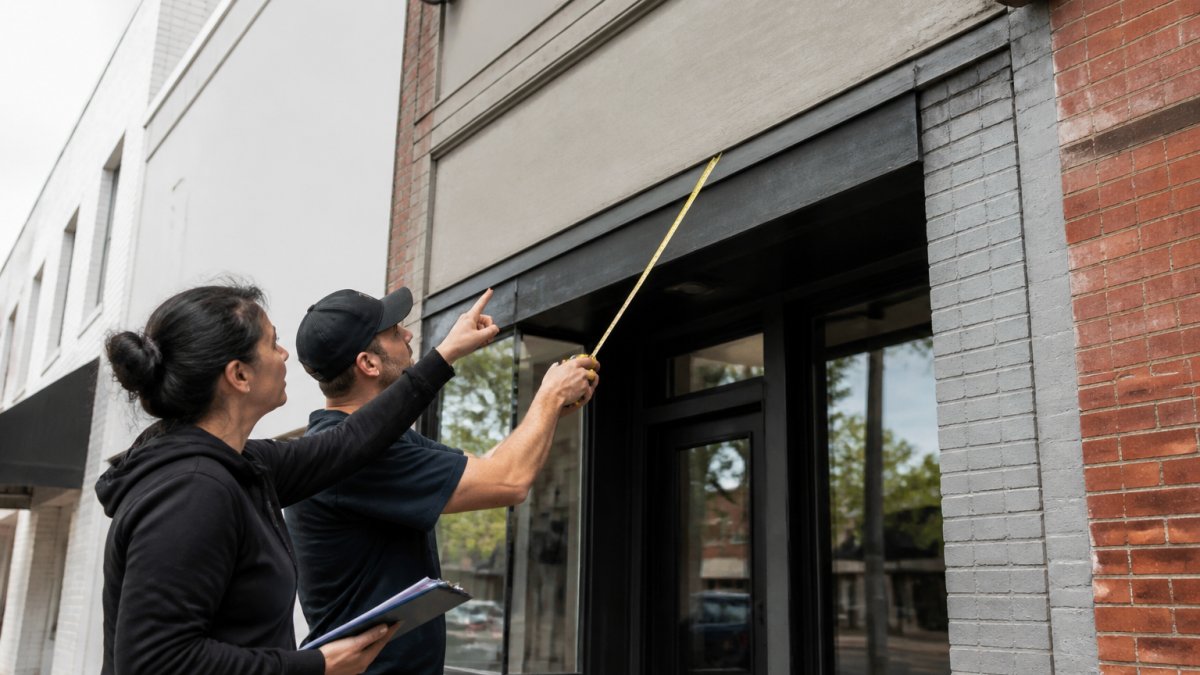
Placement rules of thumb:
- Put the sign where eyes already go, like above the entrance or at eye level on a wall.
- Keep it clear of trees, poles, and awning shadows.
- Match the sign’s height to how far away viewers stand.
Calculating Viewing Distance and Legibility
A simple rule many sign makers use: about one inch of letter height for every 10 feet of viewing distance. So a sign read from 100 feet needs letters around 10 inches tall. This is a starting point, and font choice changes it.
For legibility, focus on three things:
- Contrast: dark letters on a light background, or the reverse.
- Font: simple, bold letters beat fancy scripts at a distance.
- Clutter: fewer words read faster than a paragraph.
If your sign must meet accessibility rules, like ADA signage inside a building, letter size, contrast, and finish all matter (Chapter 7: Signs). The U.S. Access Board ADA standards for signs spell out those requirements, and it’s worth checking them before you finalize a design.
Step 4: Choose Materials and Mounting for Durability
Materials decide how long your sign lasts, how it weathers, and what it truly costs over its life. The right pick depends on where the sign sits, how much sun and rain it faces, and how often you’re willing to maintain it.
| Material | Best For | Weather Resistance | Relative Cost | Maintenance | Notes |
|---|---|---|---|---|---|
| Acrylic | Storefronts, illuminated signs | Good | Mid to high | Low | Clean look, easy to shape and backlight |
| Aluminum | Outdoor panels, monument faces | Strong | Mid | Low | Light, rust-resistant, holds paint and vinyl well |
| Wood | Rustic, indoor, historic districts | Needs sealing | Low to mid | High | Warm feel, requires re-sealing every few years |
| Vinyl | Windows, walls, temporary signage | Moderate | Low | Low | Cheap and swappable, but fades and peels in strong sun |
| Dibond (aluminum composite) | Flat wall signs, large panels | Strong | Mid | Low | Rigid and flat, resists warping better than thin aluminum |
| Foam board / PVC | Indoor, short-term | Poor outdoors | Low | Low | Lightweight, not built for weather |
How to Actually Choose
Work through four questions in order:
- Will it be outdoors? If yes, eliminate wood unless you’ll commit to sealing, and eliminate foam board entirely.
- Will it be lit? Illuminated signs need translucent materials like acrylic or routed aluminum with a backer, opaque vinyl won’t transmit light.
- How long should it last? A five-year sign and a fifteen-year sign are different purchases. Aluminum and acrylic are the long-life picks; vinyl is the short-life pick.
- What does the wall or ground allow? A historic brick facade may restrict drilling, which pushes you toward a hanging or freestanding solution.
Mounting Changes With the Substrate
Mounting is not one skill, it’s a different method for every surface:
Total Cost of Ownership, Not Sticker Price
A cheap sign that needs replacing in three years usually costs more than a durable one. When you compare quotes, compare:
- Fabrication cost, the number most people focus on.
- Installation cost, varies widely by substrate and height.
- Permit fees, set by your local jurisdiction, not the sign shop.
A common pattern is that the lowest quote hides installation or permits, so the final bill lands close to the higher quote, with a shorter-lasting sign. Ask every vendor to break out each bucket.
Skipping a site survey is a common and costly mistake. Without checking wall type, wiring, and clearance, a sign can arrive ready to install but impossible to mount.
Step 5: Use Business Sign Design Software to Create Your Artwork
Business sign design software turns your ideas into a file a shop can actually build from. You don’t need to be a designer. You need the right file, the right specs, and a shop that will tell you when something is off.
Options range from free tools to professional programs:
- Free online tools: good for simple layouts and quick mockups, but often export low-resolution files.
- Vector programs (Illustrator, Affinity Designer, Inkscape): best for clean, scalable artwork, the industry standard for sign production.
- Template libraries: fast starting points for common sign shapes, but check that the template is vector, not raster.
Whatever you use, work in vector format when you can. Vector files scale to any size without getting blurry, which matters when a small logo becomes a 6-foot sign.
Production-Ready Artwork Specifications
This is the part most guides skip, and it’s the part that determines whether your sign comes out sharp or fuzzy. Before you send artwork, confirm each of these:
- File format: vector (AI, EPS, PDF, or SVG) is preferred. If you only have raster, supply a PNG or TIFF at 150-300 DPI at final print size, never a web image.
- Resolution: for raster artwork, 150 DPI is the practical minimum at full size; 300 DPI is safer for small text and logos.
- Color mode: CMYK for printed and vinyl signs; RGB only if the shop specifically asks. Pantone (PMS) codes are the most reliable way to lock a brand color across materials.
What Happens After You Send the File
The shop will prepare a proof, a to-scale mockup showing colors, text, and layout exactly as they’ll appear. Review it against your brand assets, not from memory. Check spelling, color codes, and proportions. Once you approve the proof, the file goes to production, and changes after that point usually mean new costs.
If you’re not sure whether your file is production-ready, send it to the shop before you finalize anything else. A five-minute file check up front is cheaper than a reprint.
Vector format, CMYK or Pantone color, 1/8-inch bleed, outlined fonts, and a signed proof, hit those five and your artwork is ready for any sign shop.
Step 6: Understand Custom Business Sign Cost and Permitting
Custom business sign cost depends on size, materials, lighting, and installation, so there’s no single price. Most projects break into four cost buckets:
- Design and artwork
- Materials and fabrication
- Permits and fees
Get quotes that list each bucket. A low quote that hides installation or permits isn’t really lower. For current pricing on your project, contact us for a quote, since every sign is built to spec.
Permitting trips up more projects than any other step. The U.S. Small Business Administration guide to local licenses and permits is a good starting point to find what your area requires.
Permits and landlord approval belong at the start of your timeline, not the end. A design that ignores local rules gets rejected and rebuilt, which costs more than doing it right the first time.
Step 7: Review Your Proof and Approve Fabrication
The proof is your last chance to catch mistakes before the sign is built. A proof is a to-scale mockup of the final sign, showing colors, text, and layout exactly as they’ll appear.
Review it slowly and check:
- Spelling of every name and word
- Color accuracy against your brand
- Size and proportions
Once you approve the proof, fabrication begins. Changes after that point usually mean new costs. Sign it off only when it’s right.
After fabrication comes installation. A clean install makes a good sign look great. A rushed one makes even a perfect sign look bad.
Conclusion: Your Sign Design Checklist
Designing a custom sign is a series of small, clear decisions: purpose, brand, size, materials, artwork, cost, and final approval. Miss a step and the sign suffers.
Here’s your quick checklist:
- Define the sign’s purpose and location
- Match design to your brand and building
- Size letters for real viewing distance
Triton Sign handles all of it for you. With over 30 years of combined experience, we offer full-service design, fabrication, and installation, plus ADA signage, neon, and vehicle graphics.
Get started with Triton Sign and get a sign that fits your brand and stands up to the weather.
Frequently Asked Questions
How do I choose the right size and placement for a business sign?
Start with viewing distance. A general rule used by many sign makers is one inch of letter height for every 10 feet of viewing distance. For a sign seen from 100 feet away, letters should be at least 10 inches tall. Measure your available wall space, check local sign codes for maximum square footage, and consider sightlines from the street and sidewalk. A professional site survey can confirm exact dimensions and mounting height before you commit to fabrication.
What materials are best for indoor and outdoor business signs?
Outdoor signs need weather resistance. Acrylic, aluminum, and high-density urethane hold up well against rain and UV exposure. Vinyl is cost-effective for flat wall signs. Indoor signs can use lighter materials like foam board or acrylic without weatherproofing. For ADA-compliant signs, use non-glare finishes and raised characters with contrasting colors. Talk to a fabricator about your specific climate and mounting surface.
How long does it take to design and make a custom business sign?
Design typically takes one to two weeks, including revisions and proof approval. Fabrication adds another two to four weeks depending on complexity, materials, and whether the sign needs permits. Permitted signs can take longer because of municipal review timelines. For construction projects with hard deadlines, share your schedule with your sign provider early so they can sequence design, permitting, and installation to hit your opening date.
Do I need a permit for my business sign?
Most municipalities require a permit for exterior business signs, especially those mounted on buildings or in the public right-of-way. Sign codes regulate size, height, illumination, and placement. Your landlord may also have approval requirements for tenant signage. Before fabrication, check with your local planning or building department and get written landlord approval if you lease. Skipping permits can lead to fines and forced removal.
A sign that’s designed, built, and installed by one team rarely goes wrong. Triton Sign brings full-service design, fabrication, and installation together, backed by over 30 years of combined experience and a track record of meeting tight deadlines and budgets. From ADA-compliant signage to custom exterior displays, we handle every step so your brand looks its best. Get started with Triton Sign and put a sign to work for your business.